
Start with a PDF template
Load the document that defines your sticker layout and keep the page preview central while you configure output.
Radionics Interactive utility
A focused Windows utility for turning PDF templates and spreadsheet barcode data into production-ready sticker documents. Position barcodes, add numbering and custom text, preview the result, and generate the final PDF from one workspace.
Windows installer · 30.9 MB · Released July 17, 2026
Core capabilities
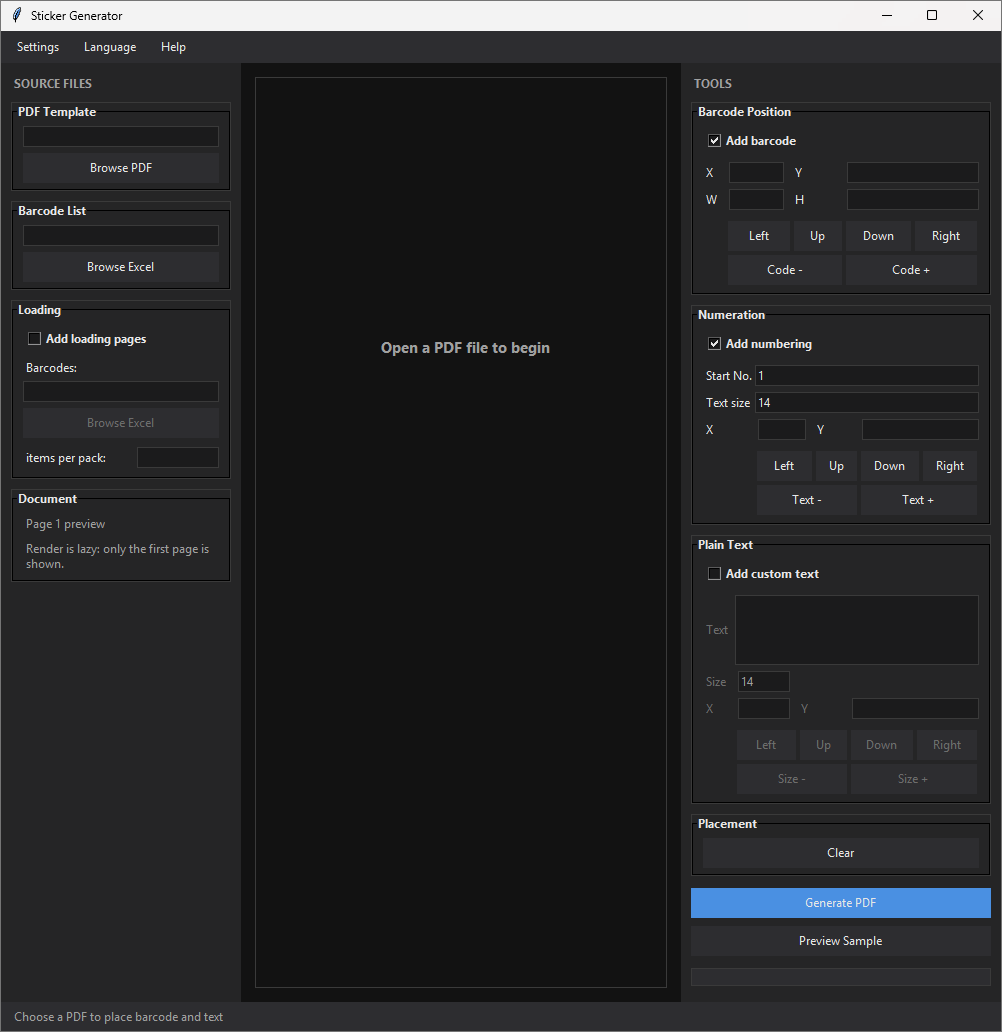
Sticker Generator keeps the document, data, placement controls, and output action visible in one production-focused workspace.
Load the document that defines your sticker layout and keep the page preview central while you configure output.
Use an Excel barcode list for repeatable data-driven preparation, including optional loading-page batches.
Adjust barcode position, numbering, and custom text through clear directional and size controls.
Check a sample before creating the final PDF so the output path stays deliberate and predictable.
Before installation
Download the latest installer from the official release link above.
Verify the file checksum against the SHA256 value published below.
Run the installer. Windows SmartScreen may appear for this unsigned release.
Local installer staging path: ../downloads/installers/StickerGeneratorSetup-0.7.exe
Security & verification
Download only from this site or the official Radionics Interactive GitHub release page. Confirm the version, then compare the installer checksum with the value below.
A7C4D987D1CCD5644CD9B61548A6F893DE6122DF49BF38E763FFE96FF35A4DC6
On Windows, verify with:certutil -hashfile StickerGeneratorSetup-0.7.exe SHA256
Product preview
This v0.5.0 workspace capture shows the document canvas, source controls, and placement tools. The screenshot is never cropped; open it for full-size detail.
Source workflow
PDF templates and Excel barcode listsPlacement tools
Barcode, numbering, and custom text controlsLatest changes
Questions, answered
Essential release and installation information for Sticker Generator.
Yes. A valid license key is required to open the main workspace. Review the software license for the current usage terms.
This release is not yet code-signed, so Windows may not recognize its publisher reputation. Verify the official source and SHA256 checksum before running it.
No. Sticker Generator has no telemetry, accounts, cloud sync, or analytics. See the privacy policy for details.
Email [email protected] with your Windows version, app version, and steps to reproduce the issue.